Raidic
AppleRAID, managed.
No terminal required.
AppleRAID, managed.
No terminal required.
A protected, healthy set gets a light-green background, while a
degraded set turns its whole card orange. A mirror running on one disk
shows No redundancy — even though macOS reports it as
"Online". Missing members are called out by name.
diskutil shows rebuild progress as a whole percent. Raidic reads
the rebuilt bytes directly and shows 0.12% when the
rebuild starts and 748 GB / 2 TB as it runs —
refreshed automatically every 5 seconds.
Drop a physical disk onto a RAID set to add it as a member. Rebuild starts after one confirmation — never silently.
Create a mirror with a single disk, move your data in, then add the second disk later. The classic migration workflow, built in.
The boot disk is never offered. Set creation and deletion require typing the set name; adding or repairing shows an explicit erase confirmation. Disks too small for a set are refused before you ever type a password.
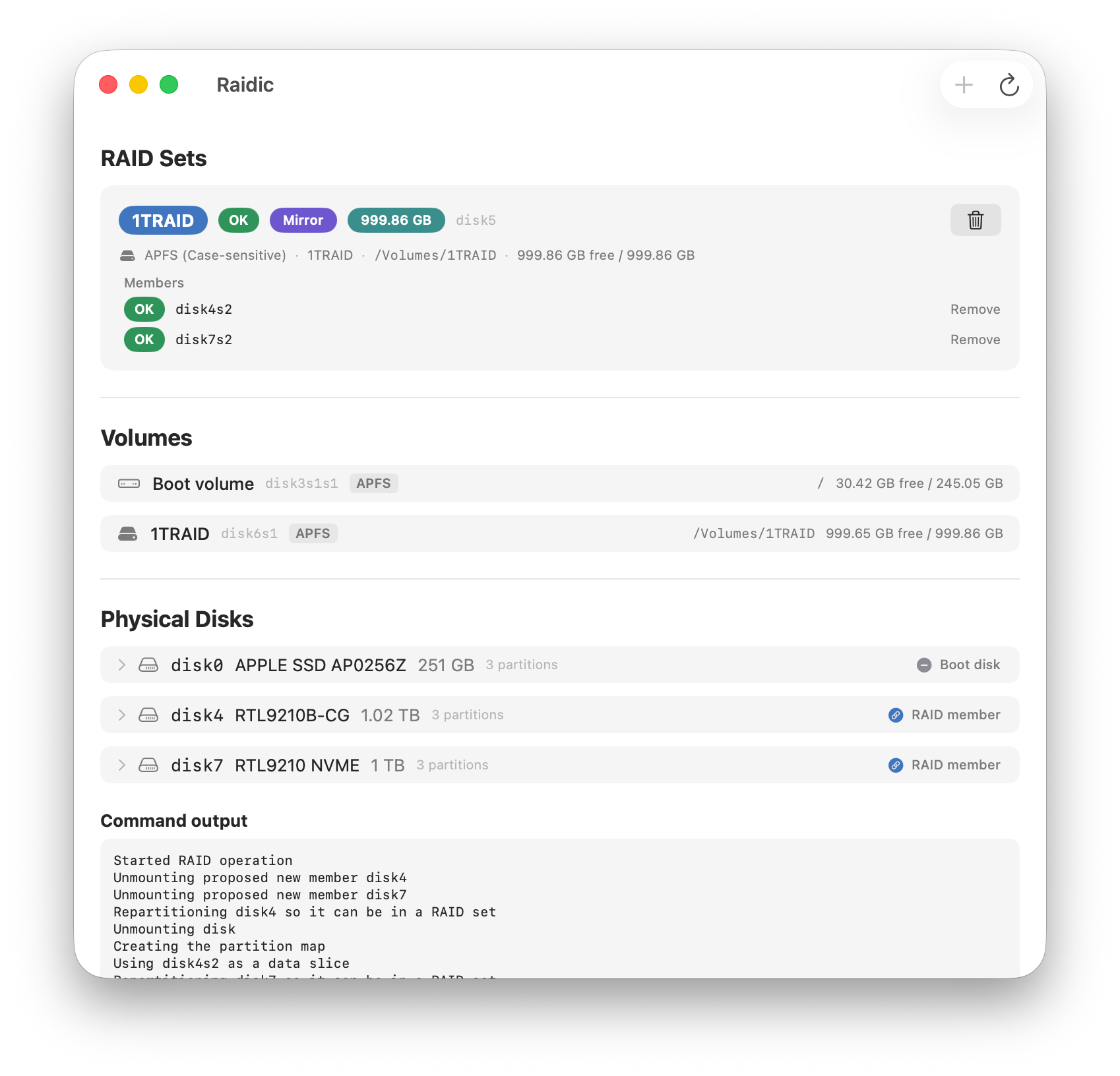
See every mounted volume, its filesystem, mount point and free space — including APFS volumes living inside a container on top of your RAID set.
Click any disk for its model name, bus, SMART status, and partitions. Brand names like "Samsung PSSD T7" right in the list.
Set names, levels and sizes are colorful chips. Click any chip to shuffle its color — text flips black or white to stay readable.
English, 繁體中文, and 日本語 — switch anytime with ⌘, in Settings.
SwiftUI, Apple Silicon native, no dependencies. Reads are password-free; only real changes ask for admin rights.
Raidic drives the same diskutil engine Apple ships. Listing and monitoring are read-only and need no password. Every destructive action shows what will be erased or removed and requires macOS admin authentication. Set creation and deletion also require typing the set name; adding or repairing a disk uses an explicit erase confirmation.
Yes. Pick Mirror and select a single disk — Raidic warns that the set starts with no redundancy, and you complete the mirror later by dragging in a second disk. That triggers a full rebuild with live progress.
macOS reports a single-member mirror as Online because its only member is healthy. But one disk means zero fault tolerance — Raidic flags that state explicitly so you're never surprised.
Yes. When a RAID set carries an APFS container, Raidic follows the container to the real mounted volume and shows its name, mount point, and free space — the part Disk Utility makes hard to see.
Raidic never offers the boot disk or disks that already belong to a RAID set. Disks with stale RAID leftovers from deleted sets are labeled — they're still usable, and creating a new set cleans them up.
No. No network capability, no analytics. It only talks to macOS's own disk management.
No — that's a macOS limitation, not Raidic's. AppleRAID is for data and external disks, like a mirrored backup pair.